Triage
Examines your scene and finds what's wrong. It doesn't fix anything, that isn't its job. It tells you what's broken, and what matters most.
BLENDER ADD-ON · THE FRIDGE

Find what's wrong before you render.
CG General works the way a hospital does.
Examines your scene and finds what's wrong. It doesn't fix anything, that isn't its job. It tells you what's broken, and what matters most.
The specialists. Each one takes a diagnosis in its own field and actually treats it, with specific fixes you review and apply yourself.
Lighting Doctor is the first specialist. More are on the way.
TRIAGE
The idea
Almost every problem in a Blender scene is trivial to fix once somebody tells you what it is. Apply the scale. Turn the modifier back on at render. Swap the 4K texture for a 512. Thirty seconds, each one.
The expensive part is never the fixing. It's the hour you spend working out which of four hundred things in your scene is the one causing it.
Triage does that part. It reads your scene and names what's wrong, graded so you can see which of it is serious. It diagnoses. It doesn't fix.

98 checks across geometry, materials, lighting, performance, render settings, scene organisation and animation and rigging.
Then it tells you which three of those forty warnings actually matter, and which you can ignore.
These checks run entirely on your own machine. Nothing leaves your computer, and they never cost a Consultation.
On your actual scene
Click a finding and Triage isolates the exact object behind it in your scene, no hunting through the outliner. Fix it, re-run the check, and watch that line clear. It's working against what you're looking at, not a static report to cross-reference.
Sorted by what matters
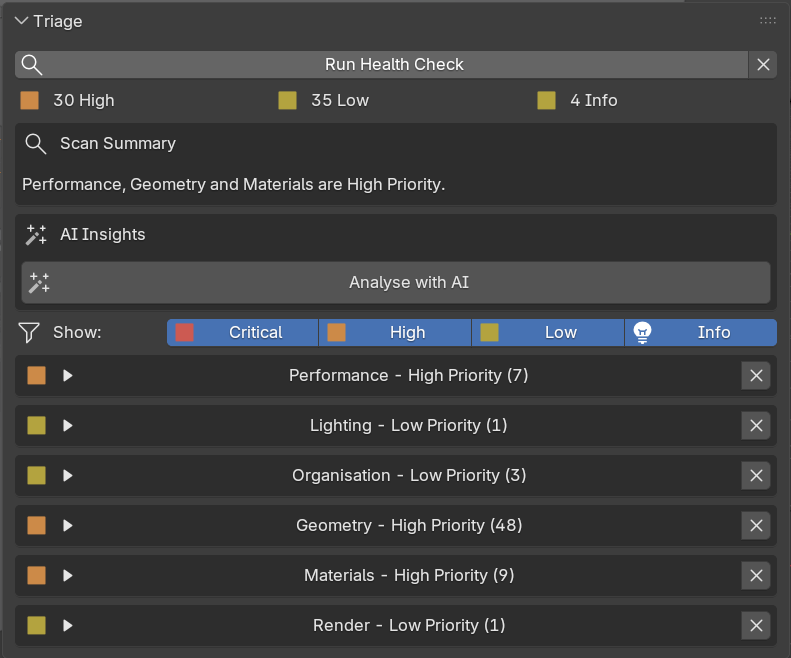
Findings are grouped by category and graded by severity, so the highest-priority issues surface first instead of getting lost in a long flat list.
Graded and filterable
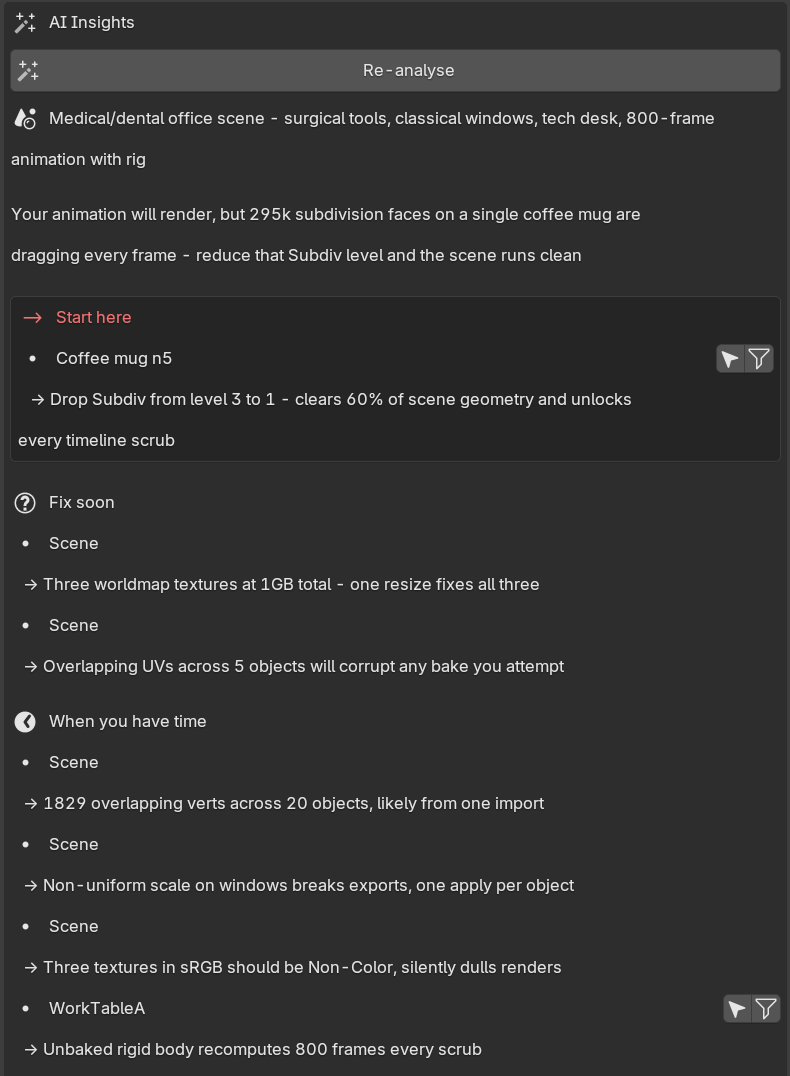
A long list of warnings is its own kind of useless. Filter to Critical and High and you're looking only at the things that will actually cost you something. The rest is housekeeping, there when you want it.
AI Insights builds on that grading: it clusters what's related, points at the more likely root cause, and tells you which of the graded findings to look at first.
Findings, on a real render
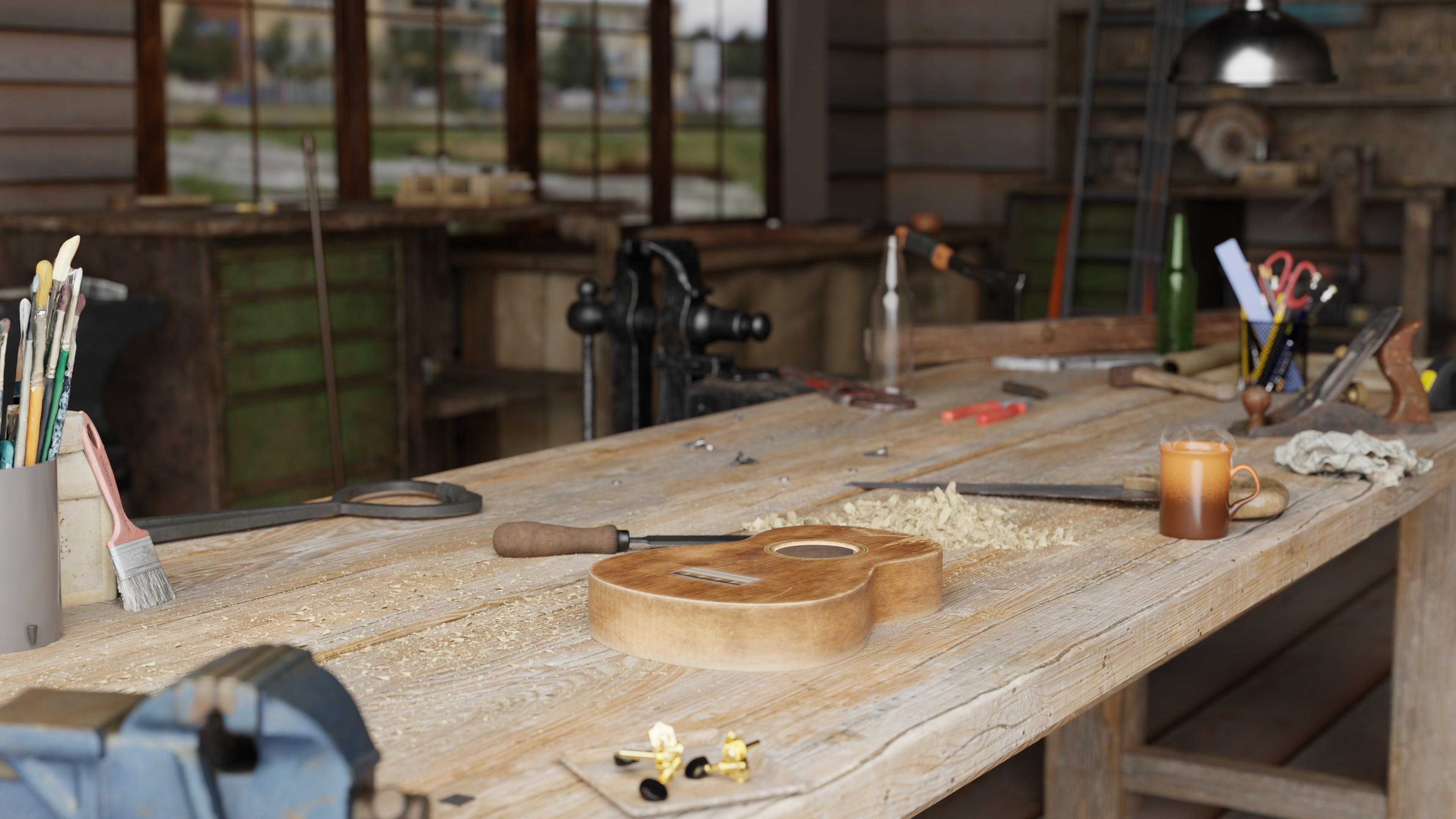
Hover a marker to see what Triage found.
What Triage checks
Every one runs locally, costs nothing, and returns the same answer every time. Each check has a defined condition, and it either fires or it doesn't.
The 98 checks above are exactly as described: free, local, no account needed.
On top of that, sign in after a scan to run AI Insights. It clusters related findings, points to a likely root cause, and tells you what to fix first. Optional, and metered in Consultations.
LIGHTING DOCTOR
Lighting Doctor
Triage can tell you your lighting is wrong. Lighting Doctor tells you why, and what to do about it.
It renders your scene, looks at the result, and works out where your subject actually is, what's enclosing it, what's blocking what, and what the camera can genuinely see.
Then it prescribes: this light, from this angle, at this distance, and here's the reasoning. You read the diagnosis, apply the fixes you agree with, and ignore the ones you don't.
It never changes your scene without asking. Everything can be undone.

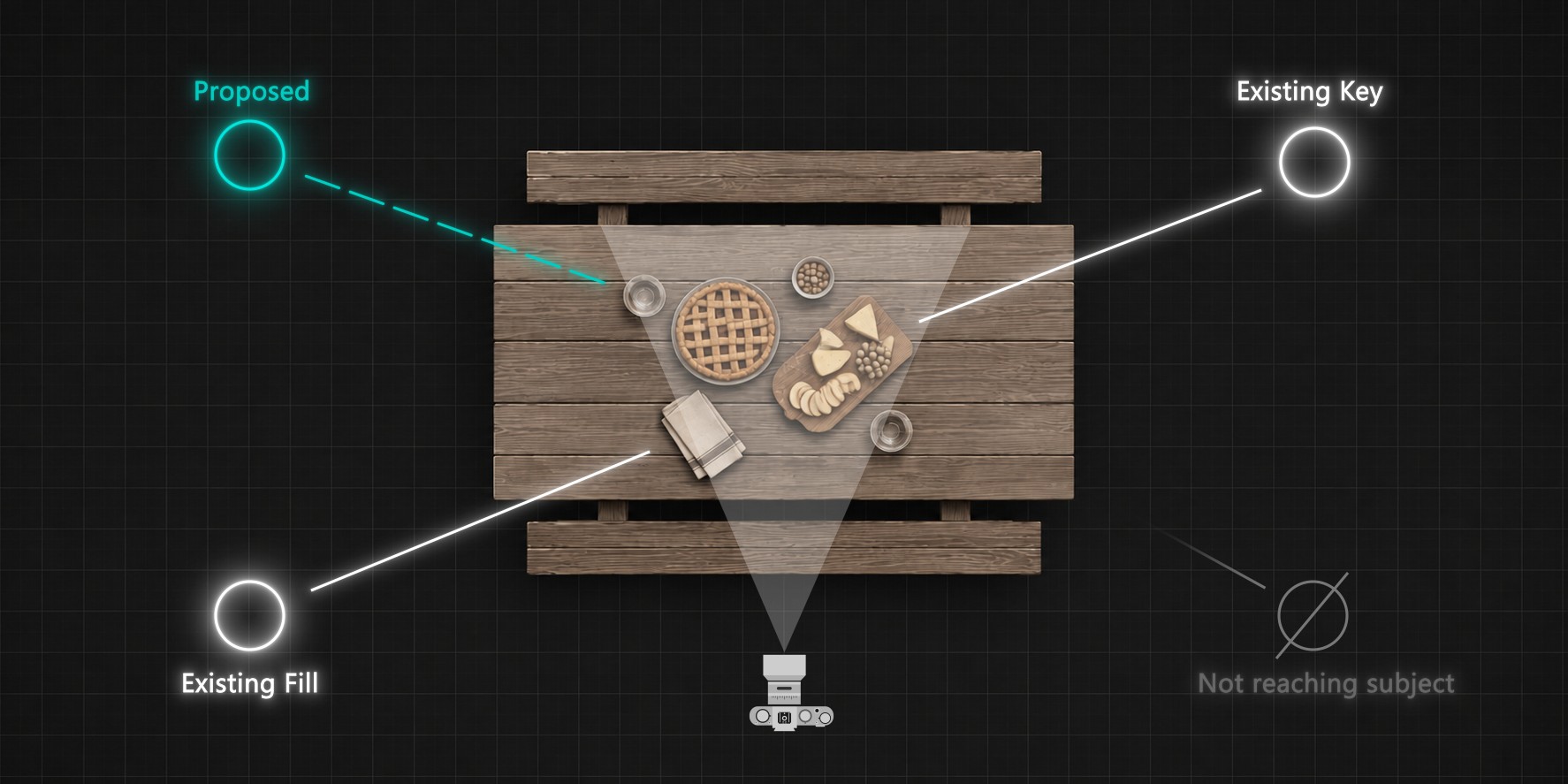
The plan
Before it suggests anything it works out where the camera is looking, which lights already exist, and which of them are contributing nothing. Whatever it proposes next has to fit inside that picture, not float free of it.
Render history
Your recent renders are kept, and each analysis notes what's changed since the last one. Click back through what you've tried on this scene, in order. Find one you preferred three attempts ago and restore it, the whole lighting state comes back exactly as it was.
Light sources
It finds the fixtures you've already modelled, street lamps, windows, ceiling lights, signage, and works out which ones the camera can actually see. Then it places the lights inside them, so illumination comes from where it would really come from.
The diagnosis
It reads your scene and lays out what's working and what isn't, then lists specific suggestions you can act on individually. Apply them one at a time, or all at once, whichever you'd rather.
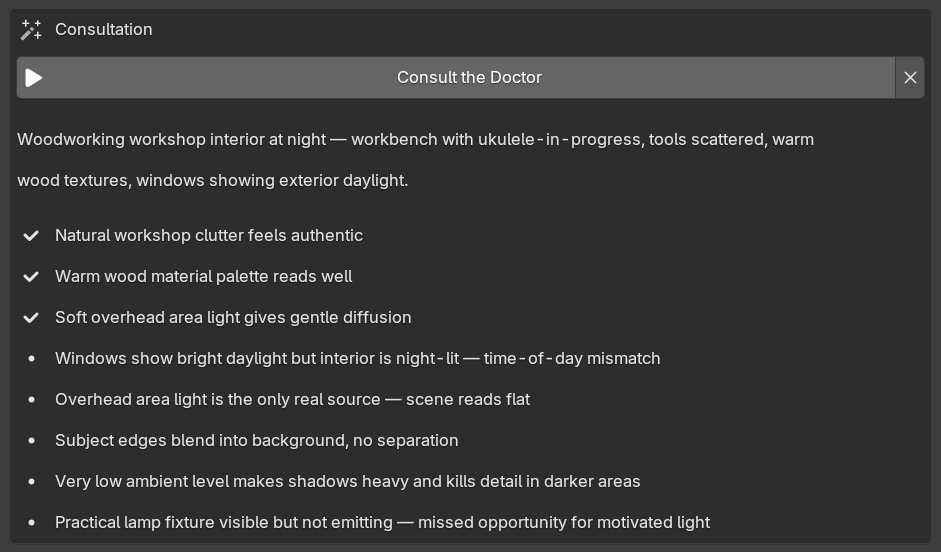
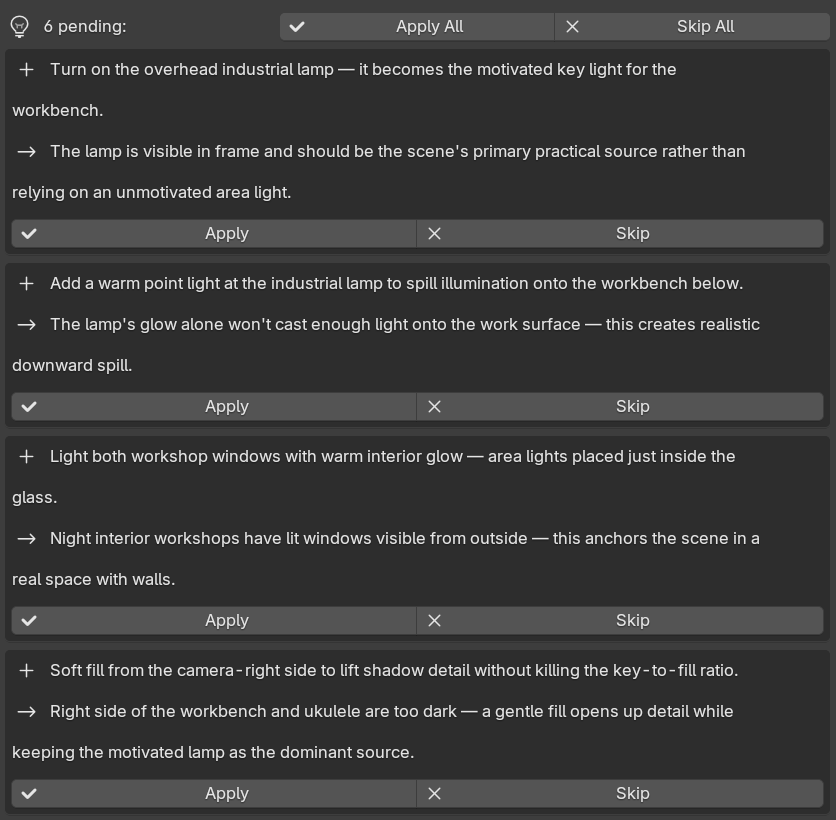
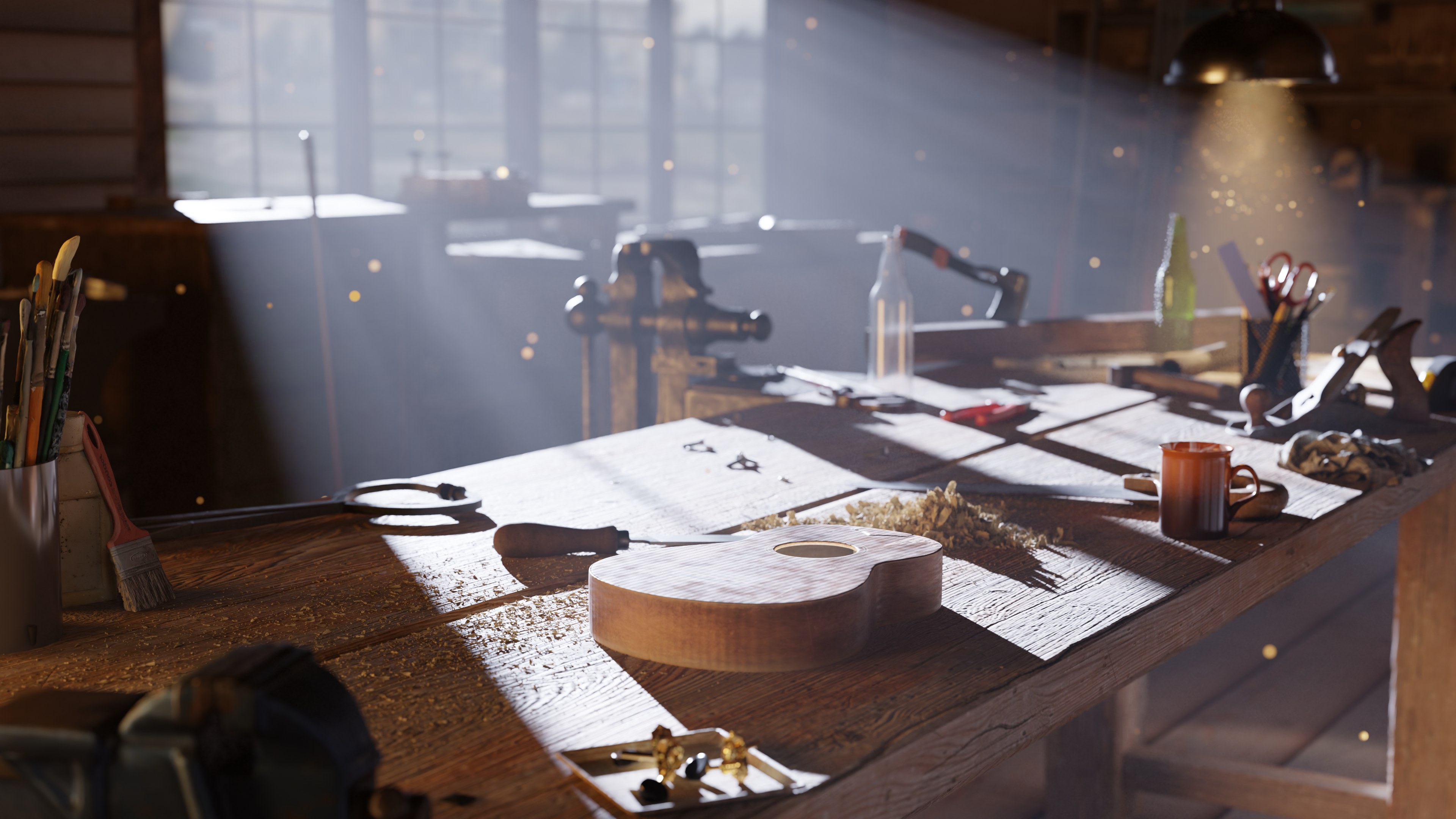
Real results, the actual workshop interior demo scene used throughout this project.
Lighting Doctor uses AI to read your render and reason about light, subject and camera, the same way a specialist would review your shot. That means it needs an internet connection, and each analysis uses a Consultation.
A Consultation is what gets used each time the add-on asks the AI to think about your scene: a Lighting Doctor lighting read, or a Triage AI Insights run.
It's a unit of usage, not a fixed number of analyses. A simple product shot costs less to examine than a complex interior with dozens of lights.
CG General's 200 Consultations work out at roughly 20 to 40 full Lighting Doctor analyses, or about 65 Triage AI Insights runs. Triage's 50 cover around 16 AI Insights runs on their own.
Lighting Doctor sends a rendered preview plus a structured summary of your scene. Triage's AI Insights sends the structured summary only, no image. Neither ever sends your .blend file. Details are in the privacy policy.
Your balance is always visible in the add-on's preferences. Top-ups and subscription payments credit automatically to your account once checkout completes.
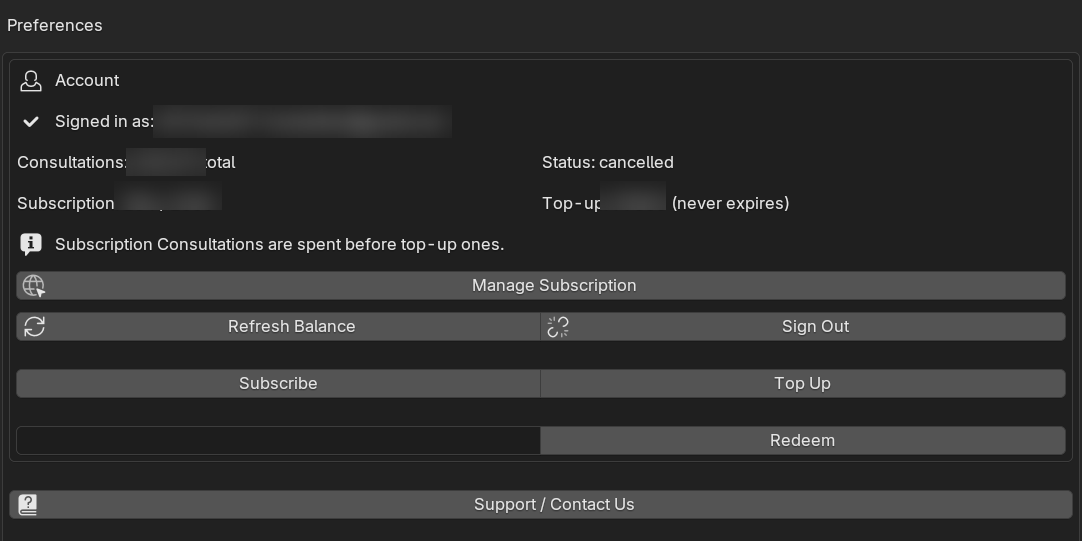
Topping up is optional. Triage's 98 deterministic checks keep working forever, whether you have a Consultations balance or not.
The roadmap
More specialists are coming. Lighting is the first field, not the last. The suite is built to take more Doctors, each handling its own domain the way Lighting Doctor handles lighting.

Two specialists on call. More in training.
The diagnostics on their own. Finds what's wrong, tells you what matters, runs locally.
The first specialist. Reads the lighting, prescribes specific fixes, changes nothing without you.
If you buy CG General, you get them as they arrive. No upgrade fee, no second purchase.
What you're buying
The diagnostics on their own. Finds what's wrong, tells you what matters, runs locally.
$14.99one-time
Secure checkout via Lemon Squeezy
The full suite: Triage, plus Lighting Doctor, plus every specialist added from here on, no upgrade fee.
$39.99one-time
Price rises as new Doctors join the suite. Buying now locks in today's price.
Secure checkout via Lemon Squeezy
Consultations meter the AI features, a unit of usage, not a fixed number of analyses. A simple product shot costs less to examine than a complex interior with dozens of lights. Triage's 98 diagnostic checks are never metered; they run locally, for free, forever.
Already own it? Learn how to get more Consultations →
Naming the problem is a skill that takes years to build. That's the part I wanted to hand over.
Haris, The Fridge · why I built this →
Who it's for
In a studio there's a lead who walks past your desk and says the thing you couldn't see. Working on your own, there isn't. This is for solo artists, freelancers and small teams: people who know enough to tell something's off, and would rather not spend the afternoon working out what.
You can tell it isn't working but not why. The findings name the problem in words you can look up.
You know what's wrong once it's pointed out. This is the pass before you hit render, so the six-hour mistake doesn't happen.
Files going to a client, a marketplace or a teammate. Catch the unapplied scale and the missing texture before someone else does.
Questions
No. You buy it once and it's yours. Consultations are included with the purchase, and if you use them all up you can buy more, but you never have to.
Email support@cggeneral.net and we'll cancel it, no questions asked. You keep access and your Consultations until the current billing period ends; it just won't renew.
Refunds go through Lemon Squeezy, the platform you bought through, within 60 days of purchase. Contact support first though, most problems are fixable.
A unit of usage, not a fixed number of analyses. Asking Lighting Doctor to analyse a scene typically spends 5 to 10 Consultations depending on how much there is to examine, a simple product shot costs less than a complex interior with dozens of lights. Triage's AI Insights is cheaper again, around 3.
Triage's 98 diagnostic checks cost nothing at all. Those run on your machine, however many times you run them.
CG General's 200 work out at roughly 20 to 40 full Lighting Doctor analyses, or about 65 Triage AI Insights runs. Triage's 50 cover somewhere around 16 AI Insights runs. Neither has an expiry date.
Buy more from your account and it credits automatically after checkout, no code or manual step needed. Your balance updates in the add-on's preferences as soon as it's through.
Every deterministic check carries on working exactly as before. Only the AI features pause. You can top up whenever you want, or never.
The AI features call a paid API that costs money every time they run. A one-time price with unlimited AI use isn't something that could be honestly promised. Everything that can run locally does, and that part is free forever.
Not without you saying so. Everything is proposed first, with the reasoning attached. You apply what you agree with and ignore the rest, and anything you do apply can be undone.
No. The AI features run on Anthropic's Claude via a commercial API, and Anthropic states that by default it does not use inputs or outputs from its commercial products to train its models. Anthropic deletes what it receives within 30 days.
What gets sent is a rendered preview of your scene and a structured summary of it, light settings, camera position, object names and dimensions. Your .blend file is never uploaded. Triage's diagnostic checks send nothing at all.
For the AI features, yes. Triage's diagnostic checks run entirely offline.
Blender 4.2 LTS and newer.
Both. It renders your scene with whatever engine your file is already set to and analyses the result the same way either way.
Triage is the diagnostic on its own, with 50 Consultations. CG General is Triage plus Lighting Doctor with 200 Consultations, and it includes every future specialist at no extra cost.
Yes, same author, same product family. The Superhive listing is the standalone version: local-only, no account, no AI layer, just the 98 deterministic checks. This site's Triage is that plus the optional AI Insights layer. If you'd rather skip the AI entirely, buying through Superhive instead is a perfectly good call.
Sometimes it will be. It's making judgement calls about your scene, and judgement calls can be wrong, which is exactly why nothing is applied without you approving it, and why everything can be undone.
If a suggestion is clearly bad, the add-on's Send Feedback button packages up the diagnostic logs, you'll see exactly what's being sent before anything leaves your machine.
Triage's checks apply to any scene. Lighting Doctor works wherever the lighting has a job to do, products, characters, interiors, environments. Deliberately stylised or crushed work will produce suggestions you'll want to reject, which is why nothing is applied without your say-so.